
From Chat to Checkout: Powering Restaurant Orders with WhatsApp
WhatsApp for restaurants is becoming one of the easiest ways to connect with customers. Almost everyone already uses WhatsApp, so customers don’t need to download a new app or learn how a website works.
Why WhatsApp Works for Restaurants
They can simply send a message, check the menu, and place an order using WhatsApp, just like a normal chat. This natural interaction removes friction and increases order completion rates.
The Power of Familiarity
Customers place orders through WhatsApp, while restaurants receive them in a clear and organized way. Order confirmations are sent automatically, and restaurant owners can manage all orders from one place.
Setting Up WhatsApp for Your Restaurant
- Get WhatsApp Business Account
- Start with WhatsApp Business or WhatsApp Business API for larger operations
- Set Up Business Profile
- Add restaurant name, address, hours, and menu link
- Integrate OrderinWhats
- Connect your WhatsApp to OrderinWhats platform for automation
- Upload Your Menu
- Add dishes with images, descriptions, and prices
- Configure Automated Messages
- Set up greetings, order confirmations, and status updates
- Train Your Staff
- Ensure team knows how to manage orders through the dashboard
- Promote Your WhatsApp Number
- Add to website, social media, and physical menus
Key Features to Implement
📋 Digital Menu
Share interactive menus with images, prices, and descriptions. Update in real-time when items run out.
🤖 Automated Responses
Instant replies to common questions about hours, location, and menu items.
✅ Order Confirmation
Automatic confirmation messages when orders are received and when they’re ready.
🍳 Kitchen Integration
Orders automatically sent to kitchen display or printer for seamless preparation.
💳 Payment Integration
Support for various payment methods including cash, card, and digital wallets.
📊 Analytics Dashboard
Track orders, revenue, popular items, and customer behavior.
Benefits of Using WhatsApp for Restaurants
- Saves Time: Automated responses and order processing
- Reduces Missed Orders: All orders captured and organized
- Handles Busy Hours: System scales with order volume
- Increases Direct Orders: Less dependency on third-party platforms
- Reduces Commission Fees: Keep more of your revenue
- Improves Customer Satisfaction: Fast, familiar ordering experience
- Better Customer Relationships: Direct communication channel
“Using WhatsApp for restaurants through OrderinWhats
also helps businesses increase direct orders and reduce dependence on food delivery apps.”
Best Practices
Communication Tips
- Respond quickly (within 2-3 minutes during business hours)
- Use friendly, conversational language
- Include estimated preparation times
- Send order status updates proactively
- Thank customers after completed orders
Menu Management
- Use high-quality food images
- Keep descriptions concise and appealing
- Update availability in real-time
- Highlight daily specials
- Organize by categories (appetizers, mains, desserts)
Order Management
- Confirm orders within 1 minute
- Provide accurate time estimates
- Handle special requests professionally
- Maintain order history for repeat customers
- Follow up after delivery
Ready to Start?
It’s an easy, reliable, and cost-effective solution that fits naturally into how customers already order food today. With OrderinWhats, implementing WhatsApp for your restaurant is simple and delivers immediate results.

The Journey of Food Ordering

A Ugly Website with Billion-dollar Value.
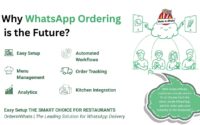
Why WhatsApp Ordering is the Future
About The Author
